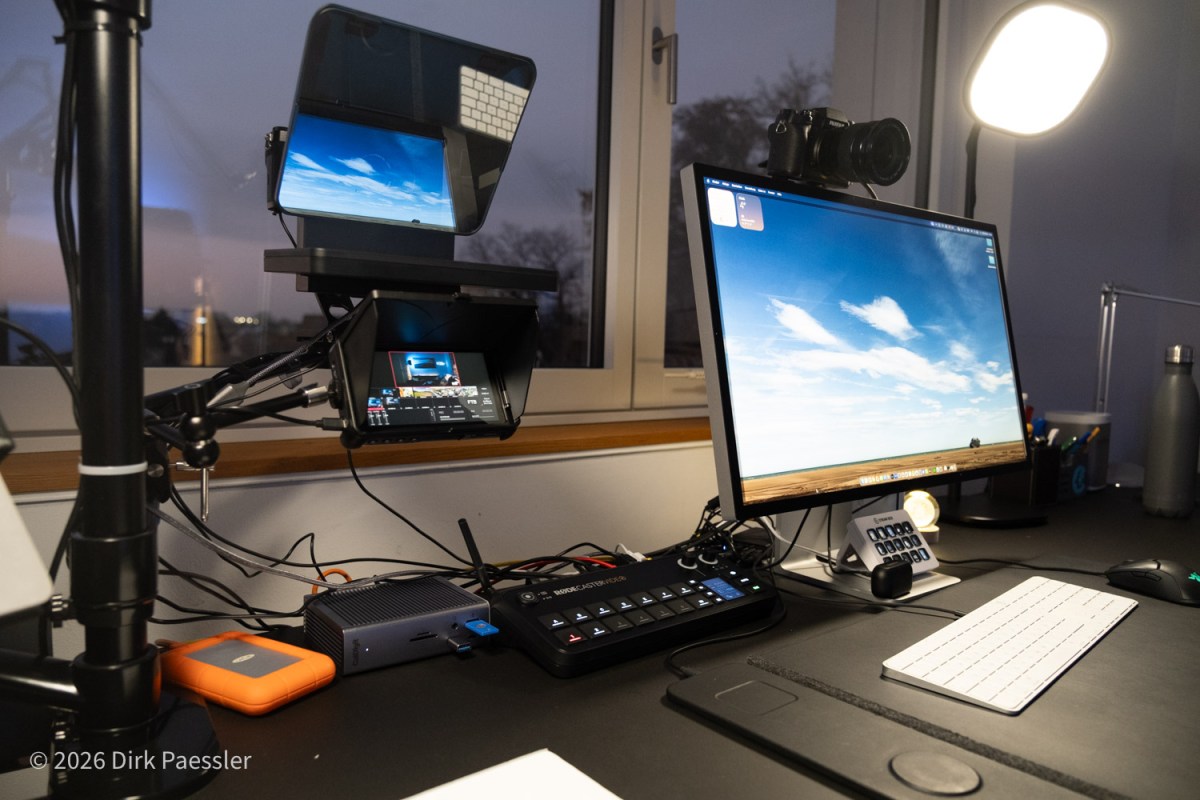
Article 2/4
Even though video conferencing is the topic at hand, we must talk about audio first. Because the uncomfortable truth is this:
- People can forgive a mediocre image.
- They will not forgive ugly sound.
If the audio is thin, noisy, echoing, or constantly breaking up, your listeners will mentally leave the meeting. Not because they are rude — but because their brain gets tired of decoding what you’re saying.
And once they tune out, you’ve lost your chance to make an impact. This applies especially when people are not native speakers!
Why good sound is more important than sharp video
- Bad video is mostly a visual annoyance.
- Bad audio is a cognitive burden.
When your sound is clean and stable, people relax. They stop “working” to understand you and start focusing on what you actually say. That’s why I believe good sound is also a matter of respect: You are asking people for their time and attention. The least you can do is make it pleasant to listen.
The three enemies of good audio in video calls
1) Echo (a.k.a. “CHEAP laptop speakers + mic”)
This is the classic: sound comes out of your speakers, goes into your mic, and returns to the call. Yes, software tries to suppress it. No, it doesn’t always work — especially when multiple people speak quickly.
2) “Meeting room chaos” in your room
Typing, chair squeaks, coffee machines, doorbells, kids, dogs, street noise. Video calls are unforgiving — your microphone hears everything, especially the stuff you stopped noticing years ago.
3) Packet loss and unstable connections
Bad internet doesn’t only destroy video. It makes audio robotic, stuttering, or delayed. It kills rhythm and makes interruptions more frequent.
The single best upgrade: headphones for everyone
I’ll repeat it, because it’s that important:
In a group call, headphones are non-negotiable.
Why?
- The conversation becomes faster and more natural.
- Overlapping speech becomes intelligible instead of getting “clipped away”.
- Echo cancellation software stops fighting your meeting and doesn’t degrade everybody’s experience.
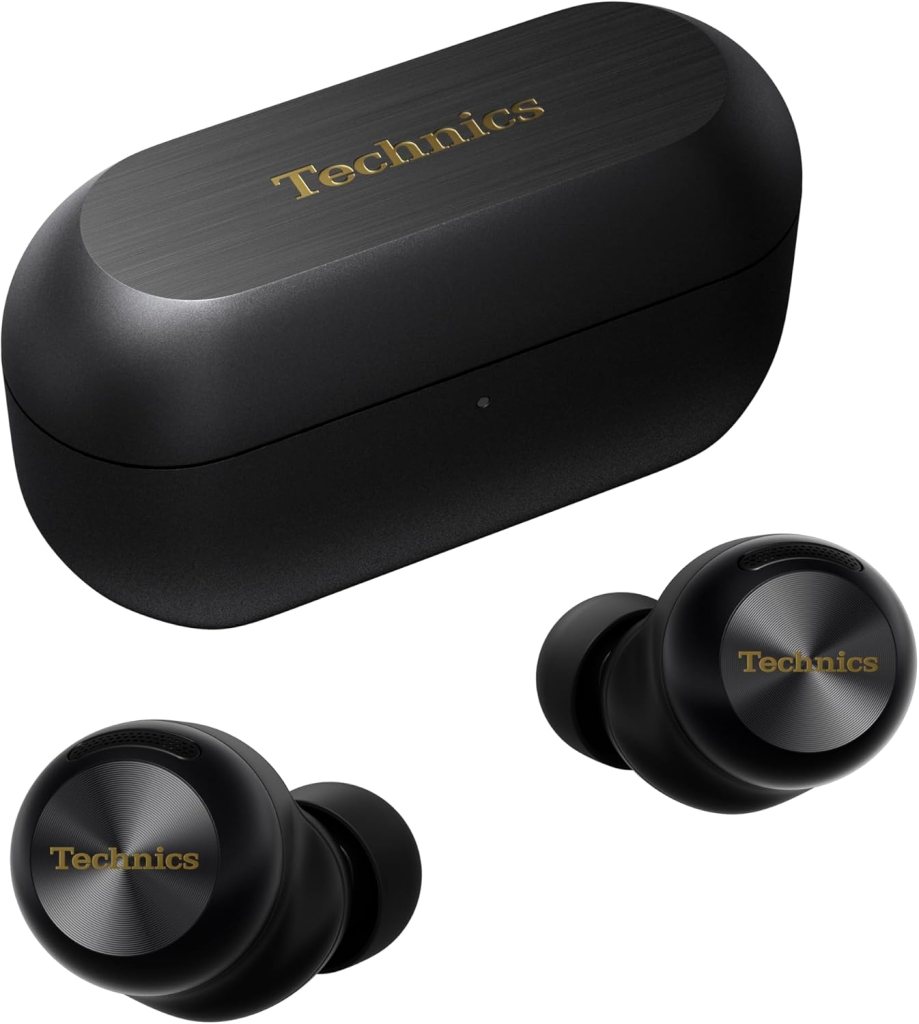
And no, you don’t need “studio headphones”. In-ears, AirPods, whatever. I use the Technics EAH-AZ100, €260, because they are tiny and barely visible, and sometimes the Apple Airpods Pro 3, €265. I leave these dedicated zooming-headphones on my desk all the time in the charger so I never have to run around to pick them up and come late to a meeting.
The shape doesn’t matter (Mickey Mouse ears are fine, too). The effect does.
Microphone: the simplest path to “broadcast-ish”
You don’t need a podcast studio. But you do need a microphone that is:
- close enough to your mouth (!)
- pointed at your mouth (not at your keyboard)
- stable (not wobbling on a flimsy stand)
- Bonus-tip: “One person => one microphone => one room” rule (do not share a microphone or a room with several people in one call)
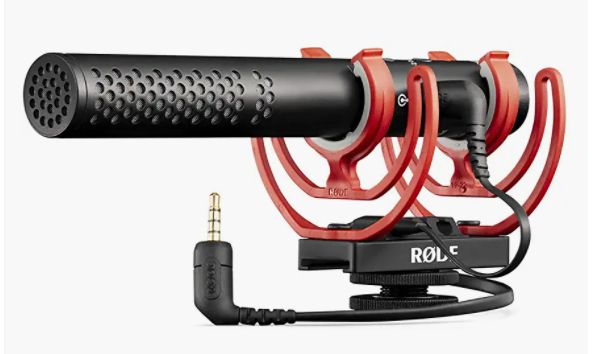
I use the RØDE VideoMic NTG, €190, or the cheaper RØDE VideoMic GO II, €84). Both are “shotgun mics” with a pointy-characteristic that give me fuller speech and less “room sound” than typical headset mics. The difference is especially noticeable if you talk a lot (presentations, workshops, webinars).
Some practical tips:
- Put the mic closer to your mouth than you think (centimeters, not decimeters, but I try to keep it out of frame).
- Reduce keyboard noise by keeping the mic above the keyboard line, aimed at you.
- Some headphones and earbuds also have decent sound, but nothing comes close to an actual dedicated microphone (I use the Airpods Pro’ mic when I am not in my studio)
- The microphones on the lastest MacBooks and on the Apple Studio display is a decent option, but nothing to write home about.
- Avoid meeting room microphones, most have massive echo/hall.
Your side aspect that isn’t a side aspect: internet quality
A good microphone cannot fix packet loss. If you’re serious about video calls and you set up a dedicated place for it, do this: Use Ethernet instead of Wi‑Fi when possible: If your router is more than 10 meters away or behind walls, buy a long cable. It’s a surprisingly high “quality per euro” upgrade!
A pre-call checklist (30 seconds)
Before important calls, I quickly check:
- Headphones connected?
- Mic selected correctly (not the laptop mic)?
- Internet stable (Ethernet if possible)?
- Room quiet enough?
- Lights ok, can the camera see my face?
This is boring. It’s also the difference between “professional” and “why do I sound like I’m calling from a tunnel?”.
In Article 3 we’ll switch from “pleasant to listen to” to “pleasant to look at”: cameras, teleprompter eye contact, and lighting that doesn’t blind you.
Read the whole series: My Zoom / Video-Call Setup (Version 4)
- Article 1: Why I Built It (and why you might, too)
- Article 2: Sound First – Why Audio Matters More Than Video (and why it’s about respect)
- Article 3: Great Video – Three Cameras, One Teleprompter, and Lighting That Actually Helps
- Article 4: Advanced Tech – Video switcher, Stream Deck, Mountings

 Dirk Paessler's Personal Blog
You must be logged in to post a comment.