My Zoom / Video-Call Setup: Advanced Tech – Video switcher, Stream Deck, Mountings

Article 4/4

Let’s start with honesty: You do not need a live production console to run a good video call. But if your work depends on video calls and once you have it… you will not want to go back.

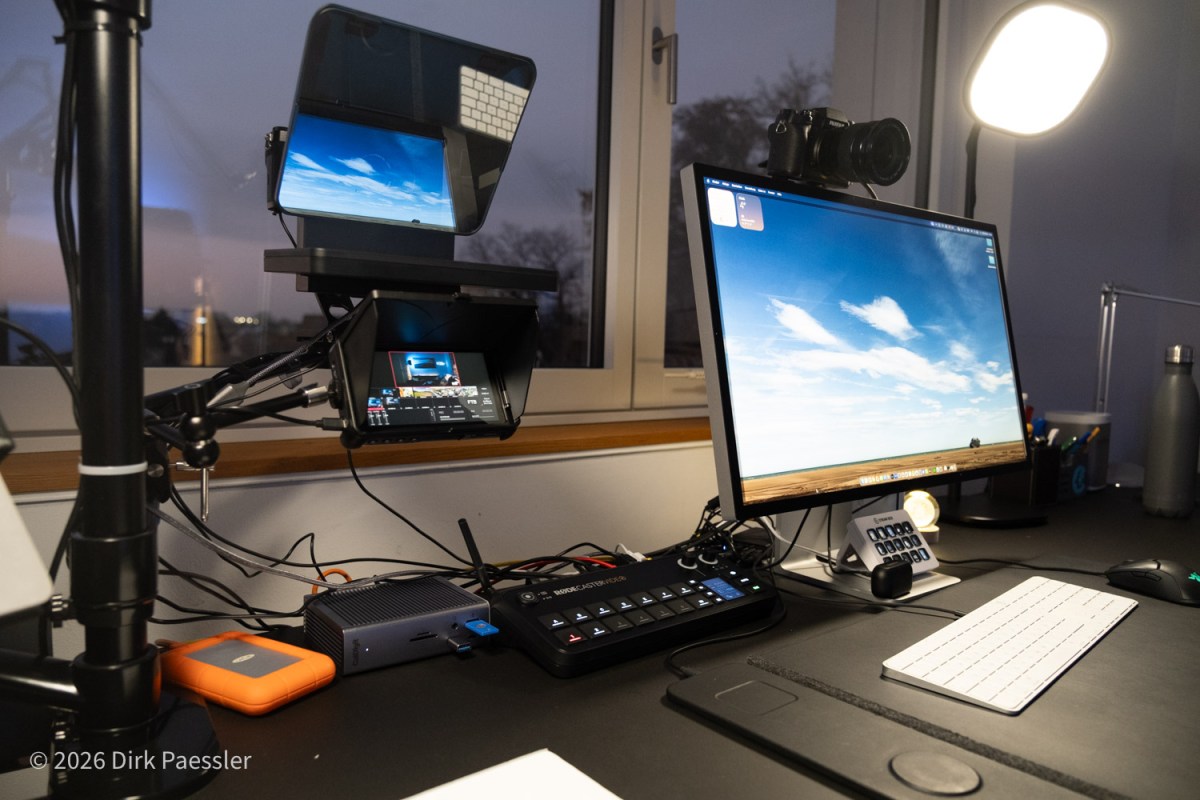
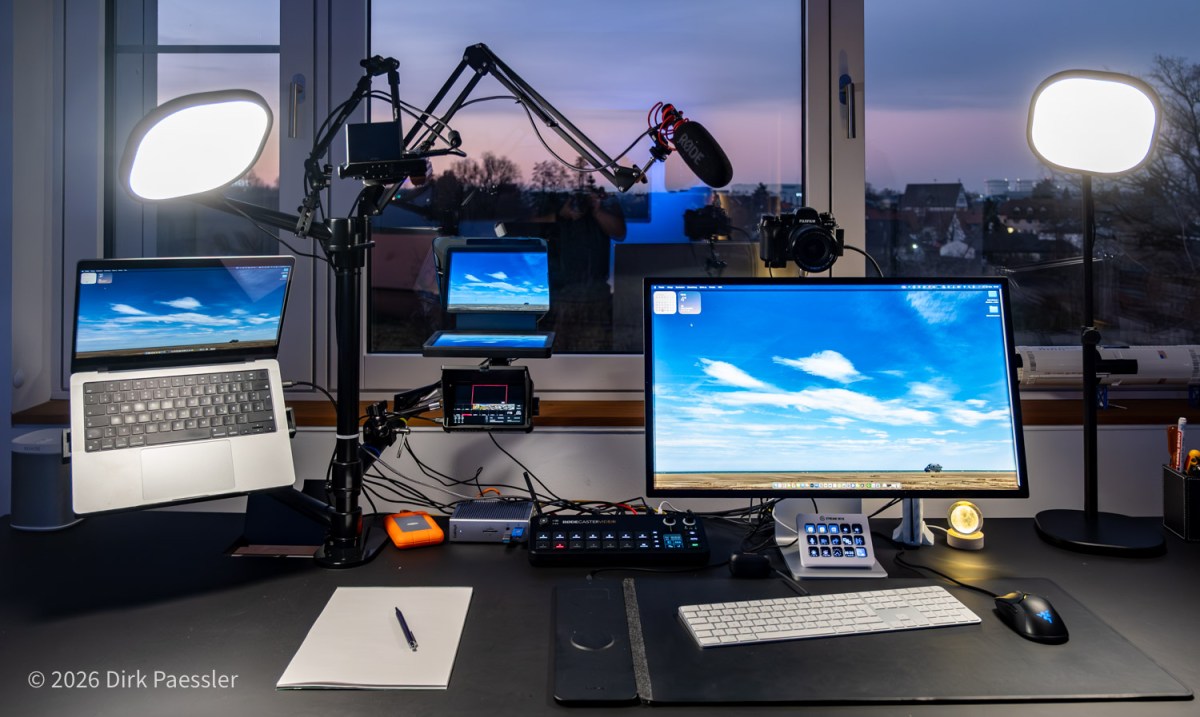
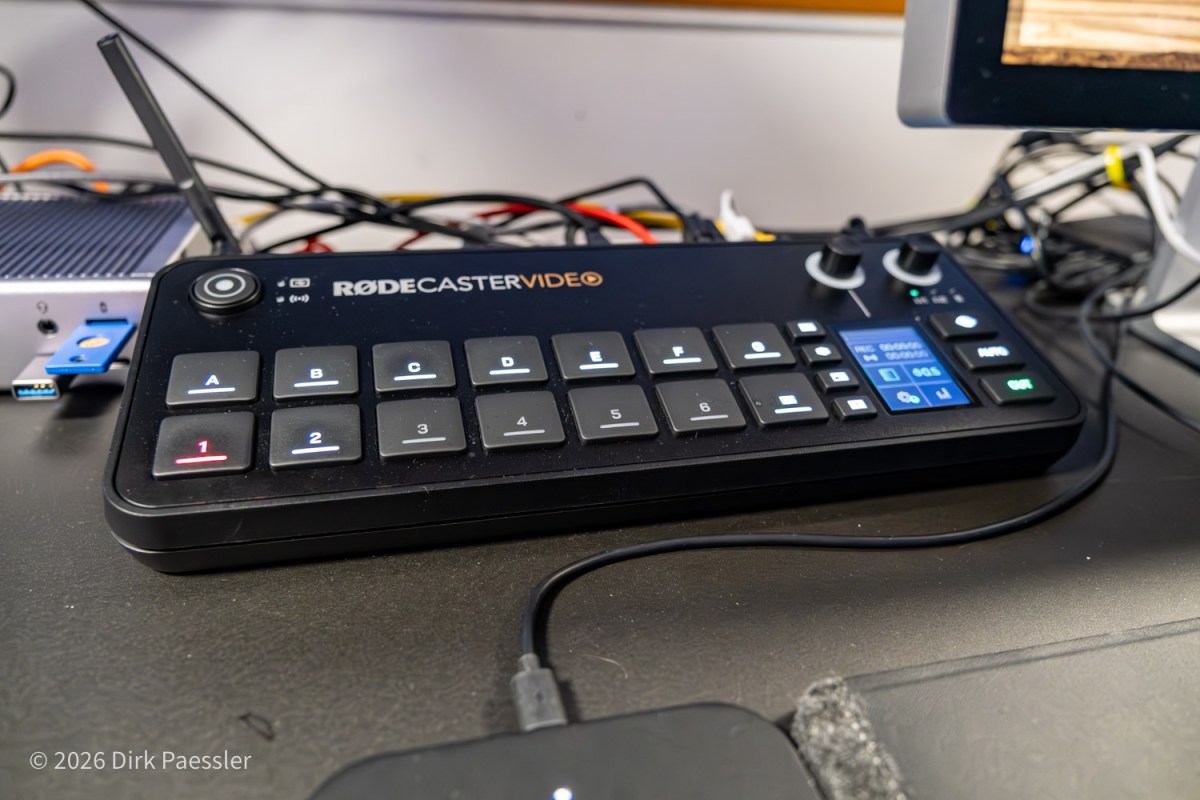
The central device in my setup is a “video switcher”, or better, a small video production studio on steroids, the RØDECaster Video, €850.

What changes with a video switcher

The big shift is that it’s no longer “camera → computer → software → meeting”.

Continue reading “My Zoom / Video-Call Setup: Advanced Tech – Video switcher, Stream Deck, Mountings”
My Zoom / Video-Call Setup: Great Video – Three Cameras, One Teleprompter, and Lighting That Actually Helps

Article 3/4

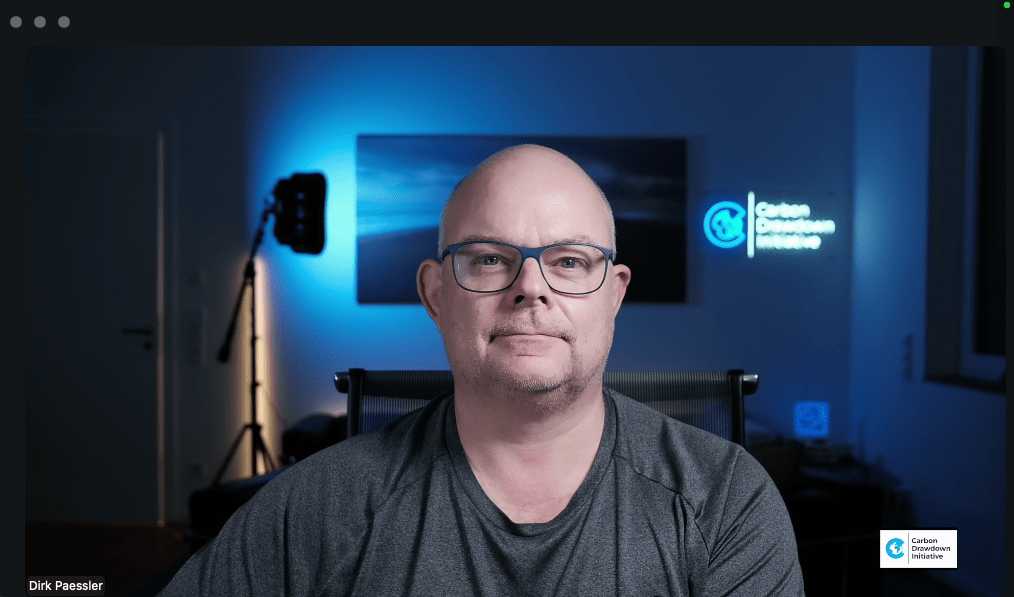
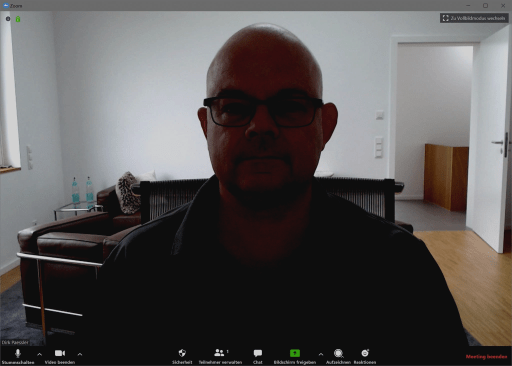
We do video conferences because we want to see each other. That’s the whole point. And yet, in many calls I still see people like:

  • a laptop camera from below, looking into the nose
  • a ceiling light that blasts into the camera and makes the person look like a ghost
  • a super bright window or wall behind a person killing the lighting on the face

As a photographer, that hurts. But even if you’re not: it’s simply unnecessary. You can look significantly better with a few deliberate choices.

Continue reading “My Zoom / Video-Call Setup: Great Video – Three Cameras, One Teleprompter, and Lighting That Actually Helps”

My Zoom / Video-Call Setup: Sound First – Why Audio Matters More Than Video (and why it’s about respect)

Article 2/4

Even though video conferencing is the topic at hand, we must talk about audio first. Because the uncomfortable truth is this:

  • People can forgive a mediocre image.
  • They will not forgive ugly sound.

If the audio is thin, noisy, echoing, or constantly breaking up, your listeners will mentally leave the meeting. Not because they are rude — but because their brain gets tired of decoding what you’re saying.

And once they tune out, you’ve lost your chance to make an impact. This applies especially when people are not native speakers!

Continue reading “My Zoom / Video-Call Setup: Sound First – Why Audio Matters More Than Video (and why it’s about respect)”

My Zoom / Video-Call Setup (Version 4): Why I Built It (and why you might, too)

Article 1/4

Video calls have become a daily thing nowadays. Especially since the beginning of the pandemic, many of us have spent a lot (likely too much) time in Zoom/Teams video calls. Reason enough to think about how to do this better than the classic “laptop open and go”.

I’ve been iterating on my setup for years. Not because anyone needs a mini broadcast studio for a Monday morning status call — but because:

  1. I’m a Spielkind (a grown-up who still likes to tinker).
  2. I’m a lifelong photographer who cares about optics and impression.
  3. I spend a lot of time in calls: I run my climate company fully virtual, with scientific work, policy work and more than 30 impact investments. That means I have lots of conversations where I want to be clear, credible, and simply leave a good impression.

This is the core idea behind my current setup:

Continue reading “My Zoom / Video-Call Setup (Version 4): Why I Built It (and why you might, too)”

(Fast) ein Jahr mit Starlink auf dem Dach (aus der Sicht einer Monitoring Software)

Im März 2021 erhielt ich als Teilnehmer des europäischen Beta-Programs von Starlink eine Bodenstation und habe sie auf meinem Hausdach installiert.

Nach dem Auspacken stellt man die Antenne einfach irgendwo hin, wo viel Himmel zu sehen ist, und sorgt für einen 230V-Anschluss. Nach wenigen Sekunden richtet sich die Antenne aus (siehe Video) und sucht nach Satelliten. Nach 1-2 Minuten steht der Internetzugang bereit (und manchmal richtet sich danach die Antenne selbständig etwas anders aus).

Sowas muss man doch überwachen!

Als Gründer einer Firma, die Network-Monitoring-Software verkauft, habe ich natürlich von Anfang die Performance dieser Internet-Anbindung überwacht. Eine Remote Probe meines PRTG Network Monitor von Paessler AG überwacht jede Minute mit verschiedenen Sensoren die Bandbreite und Qualität der Satelliten-Verbindung.

Continue reading “(Fast) ein Jahr mit Starlink auf dem Dach (aus der Sicht einer Monitoring Software)”

Meine Zoom/Video-Konferenz-Station (Version 3)

Seit Beginn der Pandemie verbringen viele von uns viel (zu viel) Zeit mit Zoom/Teams-Konferenzen. Grund genug sich damit zu beschäftigen, wie man das besser machen kann als nur mit “Laptop auf und los”.

Im Juni 2020 hatte ich hier mein erstes Zoom-Setup vorgestellt, im November 2020 die Version 2. Ich sitze viel in Zoom-etc-Sitzungen und halte darüber auch Vorträge, deshalb habe ich mein Videokonferenz-Setup ständig weiterentwickelt.

Heute möchte ich den aktuellen Stand vorstellen und die einzelnen Teile erklären/empfehlen:

Continue reading “Meine Zoom/Video-Konferenz-Station (Version 3)”

The four commandments of Zoom

It is increasingly obvious that online meetings on Zoom, Teams, et al. will be a permanent part of our business lives in the future – remote work is becoming a daily habit for many of us. We usually hold meetings and video calls to convey a message, and we can improve the effectiveness of this message with a good Zoom appearance. Well, you can as long as you are not one of those receiving/consuming parties in video conferences who turn off the camera most of the time…

What makes this endeavor a little more demanding is the fact that we need to do this in our homes, not our well-equipped offices. We can’t simply ask Aurelio from the IT department to do this for us, so it needs to be simple. 

In this article I will introduce you to my “four commandments for better zooming”. This blog post of mine was published on the blog of Paessler AG, please read it there:

https://blog.paessler.com/four-zoom-commandments

Continue reading “The four commandments of Zoom”

Four Zoom Kits: Well-balanced hardware kit suggestions for great video conferencing between €200 and €2500

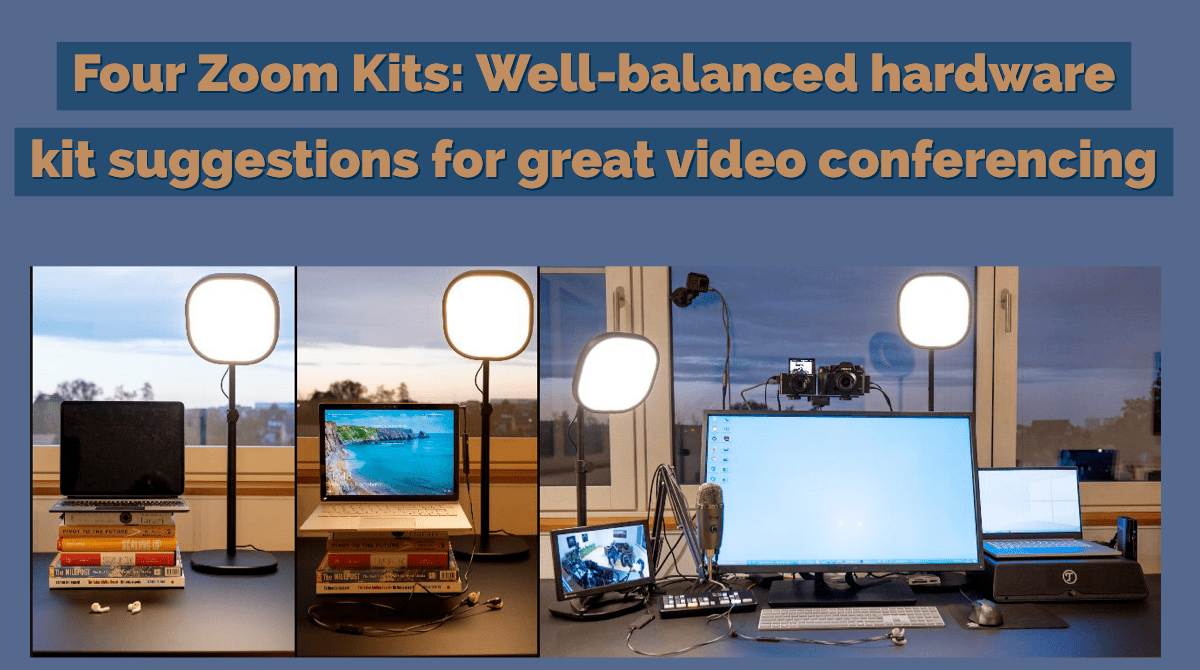
Most people use their laptops’ built-in cameras and microphones for Zoom/Teams/online meetings. But the limitations of these cheap cameras and mics do not make you look and sound good! If you want to convey your message well you should definitely consider upgrading your gear!

But how can you improve your Zoom appearance, and what combinations of options actually make sense? If you need to give a presentation or talk via Zoom, how can you make a good impression? A great image combined with trash can sound isn’t the right concept.

Here are my suggestions for four well balanced kits, sorted by increasing effort (and cost), but also with increasingly better looks and sound:

Continue reading “Four Zoom Kits: Well-balanced hardware kit suggestions for great video conferencing between €200 and €2500”

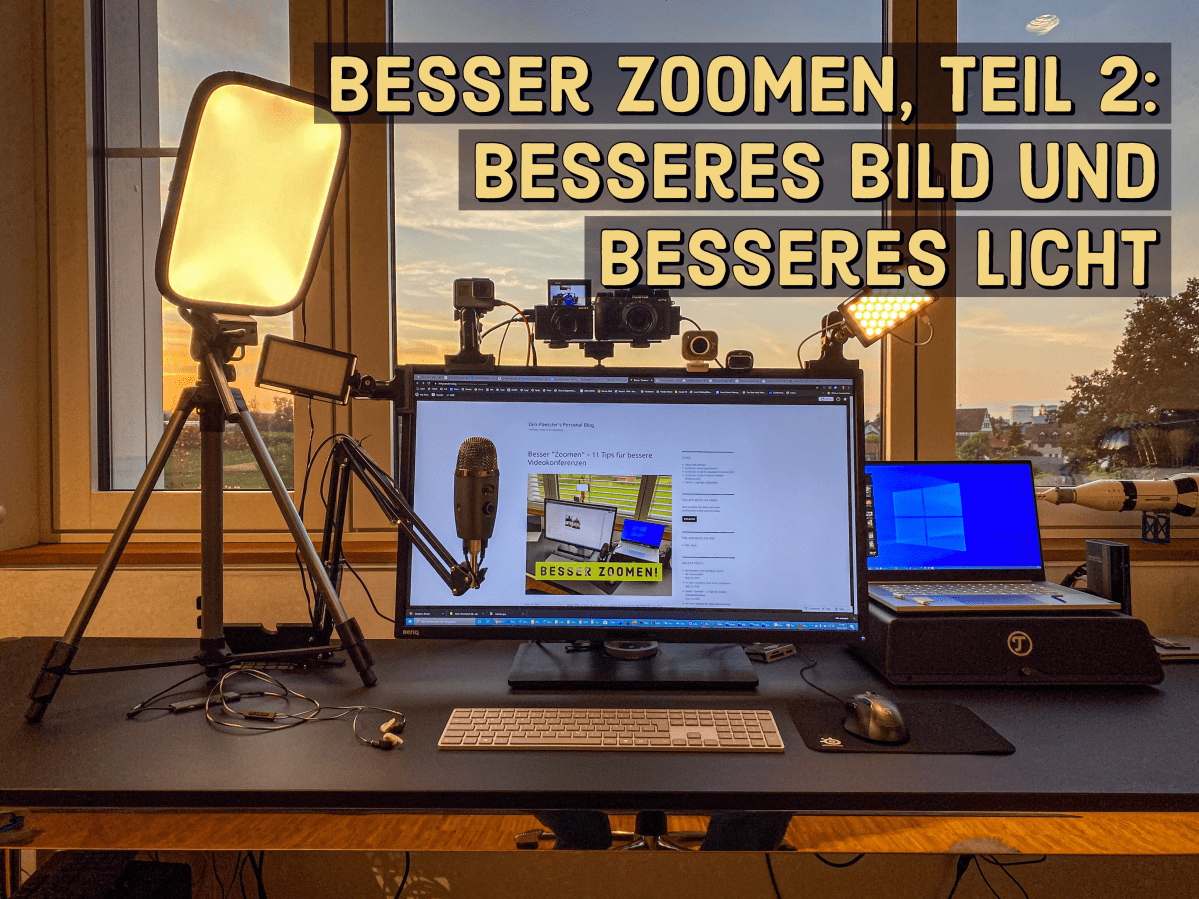
Besser Zoomen, Teil 2: Professionelle Bildqualität für Video-Konferenzen statt billigem Webcam-Look

Update 10.11.2020: 6 Monate später habe ich ein Update für diesen Artikel geschrieben (auf Englisch): “Four Zoom Kits: Well-balanced hardware kit suggestions for great video conferencing between €200 and €2500

Mit den Grundlagen guter Zoom-/Video-Konferenzen hatte ich mich bereits in meinem Blog-Artikel “11 Tips für besseres Zoomen” beschäftigt. In dem Artikel hatte ich ausführlich geschrieben, dass man oft schon einen viel besseren Eindruck machen kann, wenn man statt der im Notebook eingebauten Webcam eine hochwertigere Webcam verwendet und bewusst auf das Licht achtet. 

Aber das ist nur der Anfang: Mit einigen alten Teilen meiner Kamera-Ausrüstung und ein paar gebrauchten bzw. neuen Zutaten von eBay und amazon.de konnte ich den Eindruck meiner Zoom-Personality deutlich aufpeppen.

(Sorry schonmal vorab für die vielen, wenig abwechslungsreichen Personen-Aufnahmen von mir in diesem Artikel… 🙂 ).

Continue reading “Besser Zoomen, Teil 2: Professionelle Bildqualität für Video-Konferenzen statt billigem Webcam-Look”