Three days ago I set up 4 low-cost Windows 10 tablets to become cheap monitoring stations in my private home. Yesterday I added custom sensors to monitor the quality of my wireless network.
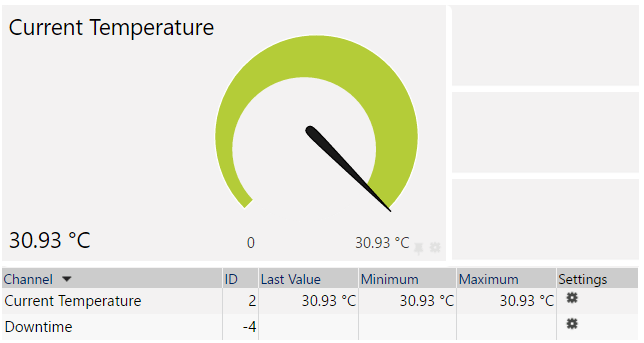
Today I added sensors that are getting the built-in system temperature from the tablets.
Again I am using a Exe/Script Advanced Sensor with this Powershell script
try{
$objWMi = get-wmiobject -namespace root\WMI -computername localhost -Query "Select * from MSAcpi_ThermalZoneTemperature"
foreach ($obj in $objWmi)
{

Write-Host "<prtg>"
 Write-Host "<result>"
 Write-Host("<channel>Temperature</channel>")
 Write-Host("<value>{0}</value>" -f ($obj.CurrentTemperature/100))
 Write-Host("<unit>Temperature</unit>")
 Write-Host("<float>1</float>")
 Write-Host "</result>"
 Write-Host "</prtg>"
}
}
catch{
 Write-Host "<prtg>"
 Write-Host "<error>1</error>"
 Write-Host "<text>Something went wrong</text>"
 Write-Host "</prtg>"
}
This script (I am using the filename “temperature.ps1”) must be placed into the folder:
C:\Program Files\PRTG Network Monitor\Custom Sensors\EXEXML
Now you can add a new “EXE/Script Advanced” sensor (I would recommend adding the sensor to the probe device) and select “temperature.ps1” in the dropdown for the “EXE/Script” setting.

 Dirk Paessler's Personal Blog
One thought on “How to monitor the system temperature of a Windows 10 system with PRTG”
Comments are closed.